RIT Athletics
RIT Athletics
Revamping College Sports App.
Revamping College Sports App.
A user-centered redesign of the RIT Athletics app that simplifies navigation for effortless access to scores and schedules and empowers fans with personalized team tracking alerts , all while providing a cohesive experience for real-time stats and ticketing.
A user-centered redesign of the RIT Athletics app that simplifies navigation for effortless access to scores and schedules and empowers fans with personalized team tracking alerts , all while providing a cohesive experience for real-time stats and ticketing.
Role
UI/UX Designer
Researcher
UI/UX Designer
Researcher
Project Duration
14 weeks
14 weeks
Team
6 UI/UX Designer
and Researcher
6 UI/UX Designer
and Researcher
Staying connected to RIT sports is vital for the community, yet one persistent challenge remains: fans are forced to navigate a cluttered interface with disconnected tabs and hidden features to find basic information. These barriers make it harder for students and alumni to feel truly engaged and supported by the RIT athletics community.
Staying connected to RIT sports is vital for the community, yet one persistent challenge remains: fans are forced to navigate a cluttered interface with disconnected tabs and hidden features to find basic information. These barriers make it harder for students and alumni to feel truly engaged and supported by the RIT athletics community.
Key User Findings:
Consistent Pain Points
conducted interviews and contextual inquiry to understand users frustration & process with the current sports app.
conducted interviews and contextual inquiry to understand users frustration & process with the current sports app.
conducted interviews and contextual inquiry to understand users frustration & process with the current sports app.

Hard to filter by sport/team; schedule feels cluttered and confusing.
Hard to filter by sport/team; schedule feels cluttered and confusing.

No clear search for specific games, teams, or videos
No clear search for specific games, teams, or videos

Important features (favorites, notifications, tickets) feel “hidden” in the navigation.
Important features (favorites, notifications, tickets) feel “hidden” in the navigation.

Users expect a clear “Buy Tickets” button on the event page.
Users expect a clear “Buy Tickets” button on the event page.

Missing quick highlights and easy-to-read stats.
Missing quick highlights and easy-to-read statistics.

RIT.edu tab feels out of place in an athletics-focused app.
RIT.edu tab feels out of place in an athletics-focused app.
Following a favorite team or sport becomes a chore when navigation is cluttered and lacks intuitive filtering. Users are forced to scroll excessively just to find basic match information, while critical actions like purchasing tickets or finding the "favorites" screen are inconsistently placed.
This disconnect between user expectations and system behavior, such as "favoriting" a team not automatically triggering notifications, creates a frustrating, passive experience that fails to deliver the immersion fans desire.
Following a favorite team or sport becomes a chore when navigation is cluttered and lacks intuitive filtering. Users are forced to scroll excessively just to find basic match information, while critical actions like purchasing tickets or finding the "favorites" screen are inconsistently placed.
This disconnect between user expectations and system behavior, such as "favoriting" a team not automatically triggering notifications, creates a frustrating, passive experience that fails to deliver the immersion fans desire.
Design Recommendations

Make sport/team filters and search prominent in Schedule and Watch.
Make sport/team filters and search prominent in Schedule and Watch.

Reorganize navigation to prioritize Teams, Schedule, Watch, Tickets.
Reorganize navigation to prioritize Teams, Schedule, Watch, Tickets.

Add a clear “Buy Tickets” button on each event detail page.
Add a clear “Buy Tickets” button on each event detail page.

Show today’s games, live scores, & recent results on the home screen.
Show today’s games, live scores, & recent results on the home screen.

Surface follow + notification toggles on team and event pages.
Surface follow + notification toggles on team and event pages.

Present key stats and highlights in a simple, glanceable layout.
Present key stats and highlights in a simple, glanceable layout.
Defining Our Scope
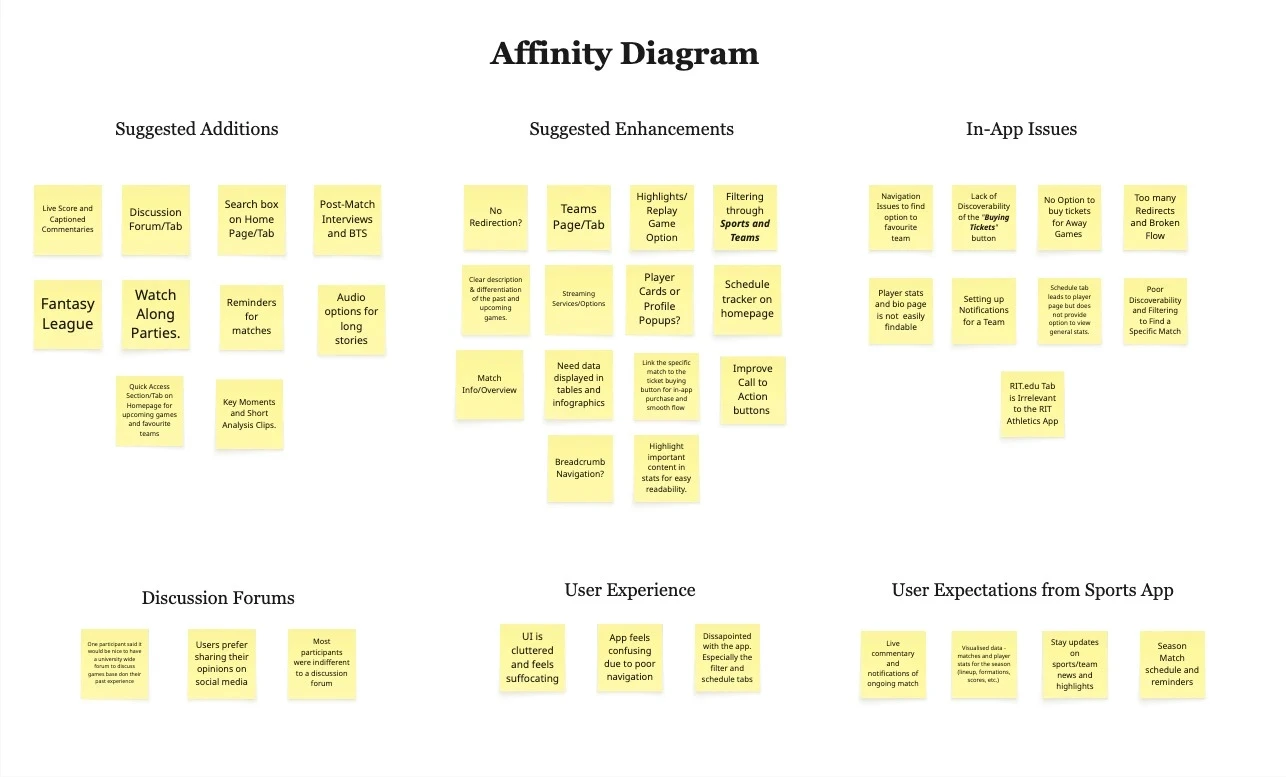
Synthesizing the research data revealed 3 critical barriers standing between fans and the content they love.
Synthesizing the research data revealed 3 critical barriers standing between fans and the content they love.
Synthesizing the research data revealed 3 critical barriers standing between fans and the content they love.
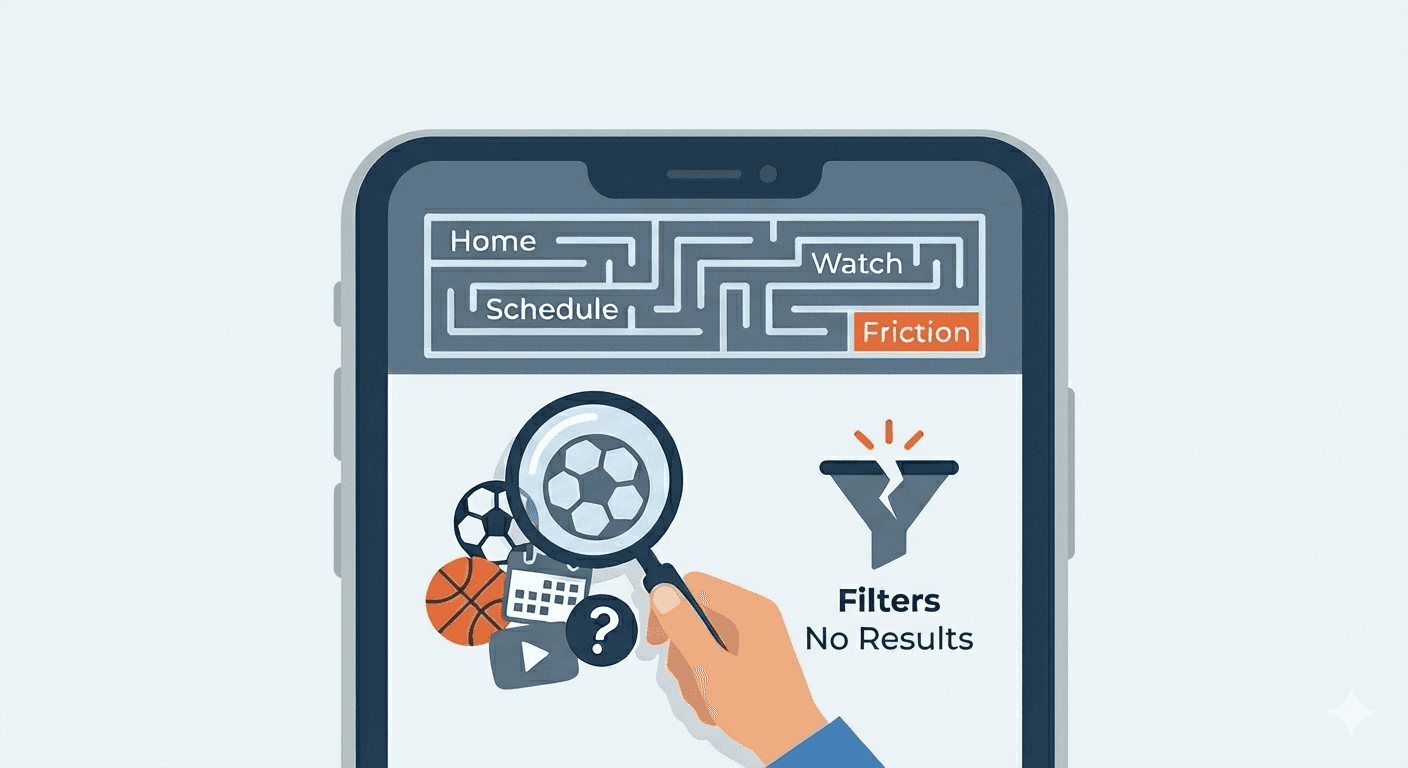
Discovery & Navigation
Discovery & Navigation
Discovery & Navigation
Users feel overwhelmed by a cluttered UI and disconnected navigation tabs. The lack of clear hierarchy and missing filters (e.g., sport, date, match type) makes finding specific matches or stats difficult and unintuitive.
Users feel overwhelmed by a cluttered UI and disconnected navigation tabs. The lack of clear hierarchy and missing filters (e.g., sport, date, match type) makes finding specific matches or stats difficult and unintuitive.
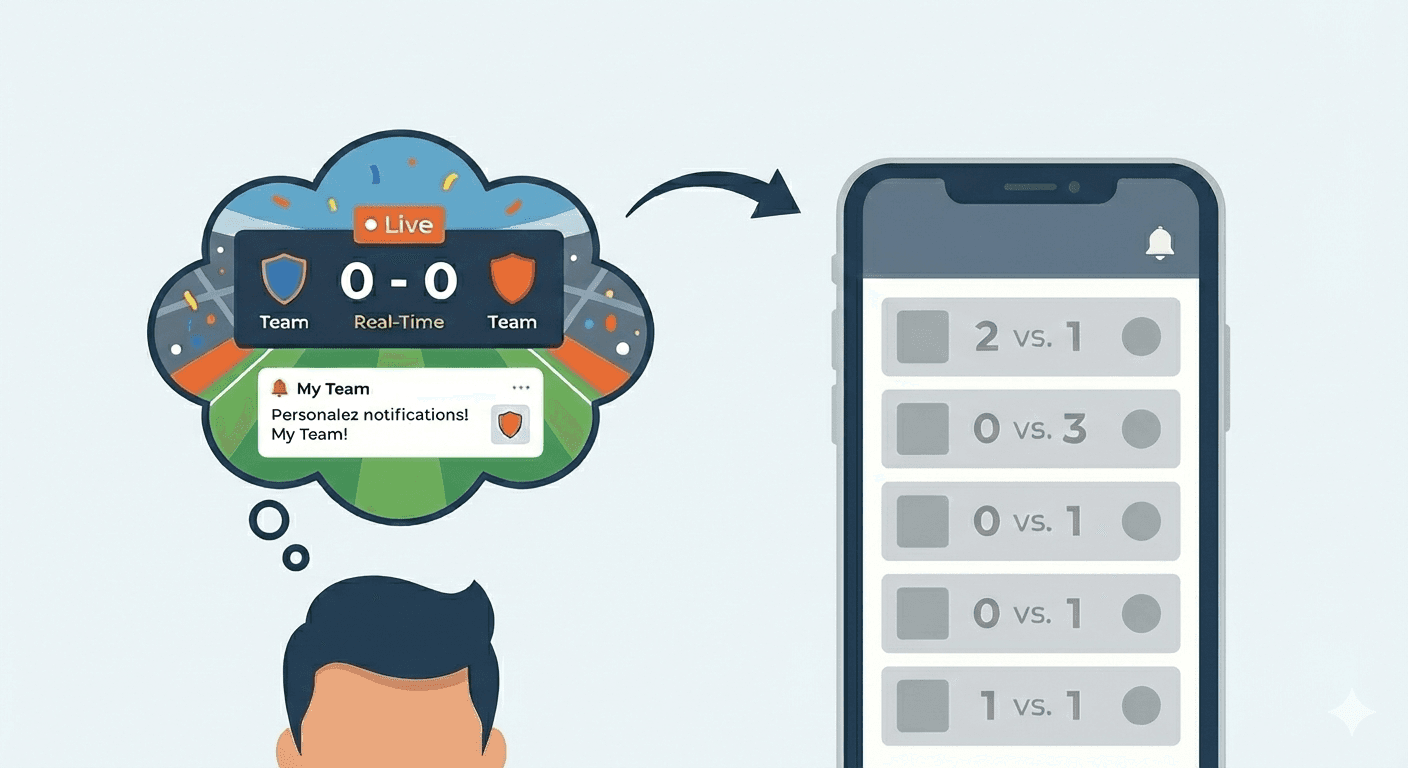
The Mental Modal
The Mental Modal
The Mental Modal
Users expect a dynamic experience with real-time updates, live commentary, and automated personalization. Instead, they encounter a static interface that feels unresponsive to their preferences.
Users expect a dynamic experience with real-time updates, live commentary, and automated personalization. Instead, they encounter a static interface that feels unresponsive to their preferences.
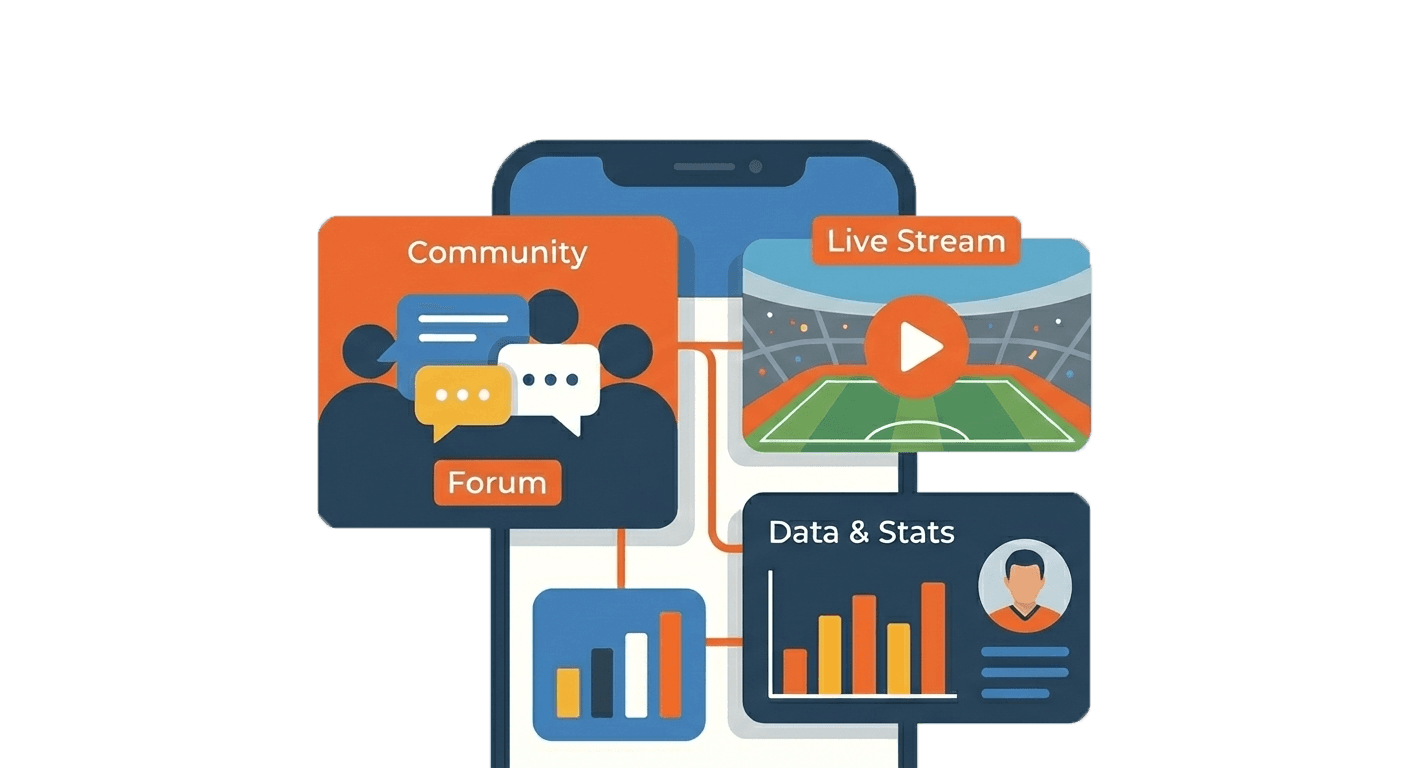
Opportunities for Immersion
Opportunities for Immersion
Opportunities for Immersion
Users expressed a strong need for rich content, such as data visualizations, player profiles, and community features (forums, watch parties) to transform the app from a basic utility into a comprehensive sports hub.
Users expressed a strong need for rich content, such as data visualizations, player profiles, and community features (forums, watch parties) to transform the app from a basic utility into a comprehensive sports hub.
Visioning
The contextual models and affinity mapping provided a structural understanding of the breakdown in the user journey. To bridge the gap between these structural problems and a tangible solution, we moved into the visioning phase. The goal was to humanize the data and map out an ideal future state, starting with the creation of Personas.
The contextual models and affinity mapping provided a structural understanding of the breakdown in the user journey. To bridge the gap between these structural problems and a tangible solution, we moved into the visioning phase. The goal was to humanize the data and map out an ideal future state, starting with the creation of Personas.
The contextual models and affinity mapping provided a structural understanding of the breakdown in the user journey. To bridge the gap between these structural problems and a tangible solution, we moved into the visioning phase. The goal was to humanize the data and map out an ideal future state, starting with the creation of Personas.
Marcus Chen
Role
Role
Supporter
Supporter
Supporter
Age
Age
24
24
24
Tech Proficiency
Tech Proficiency
Medium
Medium
Medium
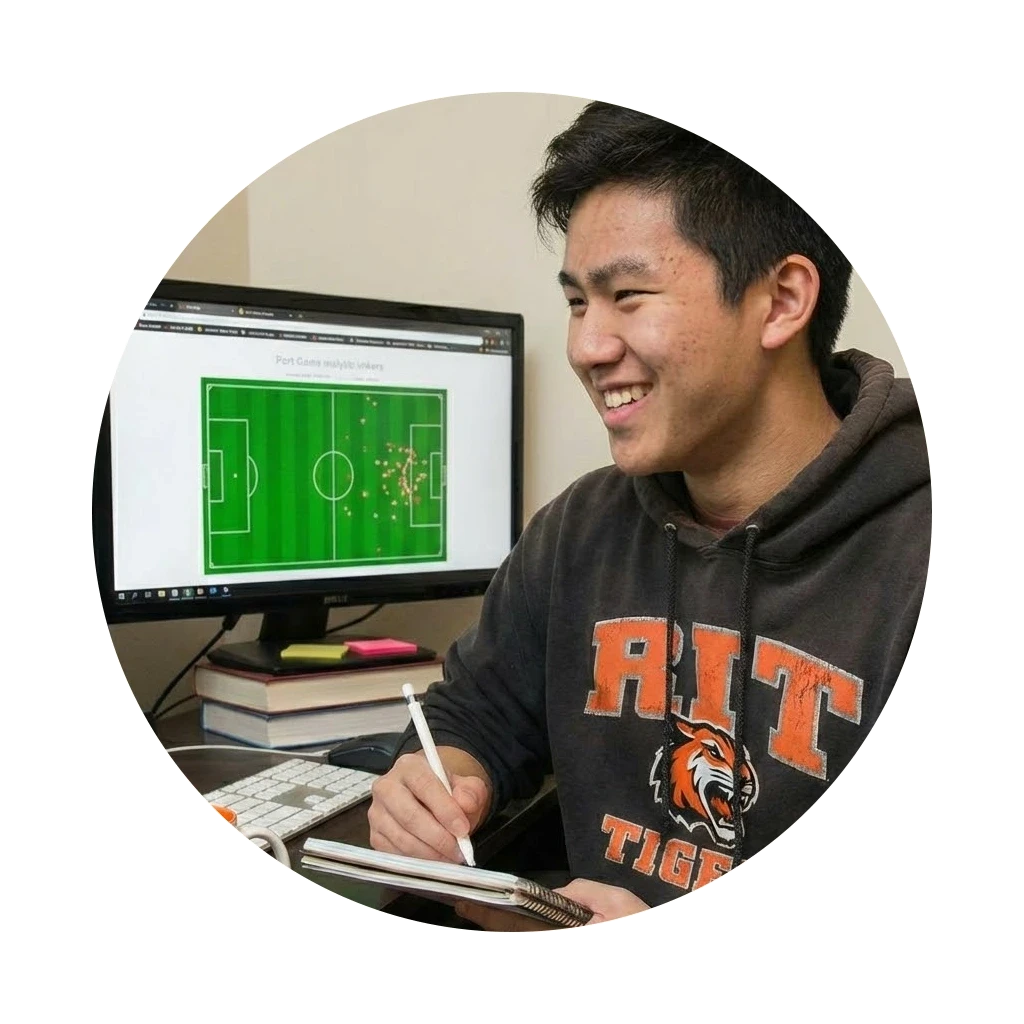
Marcus follows RIT basketball and soccer teams religiously. He doesn't just watch the games; he analyzes them. He wants to know player efficiency ratings immediately after a match and watches post-game interviews to understand the coach's strategy. He gets frustrated when he misses a match start time or when the data he finds is old.
Marcus follows RIT basketball and soccer teams religiously. He doesn't just watch the games; he analyzes them. He wants to know player efficiency ratings immediately after a match and watches post-game interviews to understand the coach's strategy. He gets frustrated when he misses a match start time or when the data he finds is old.
Marcus follows RIT basketball and soccer teams religiously. He doesn't just watch the games; he analyzes them. He wants to know player efficiency ratings immediately after a match and watches post-game interviews to understand the coach's strategy. He gets frustrated when he misses a match start time or when the data he finds is old.
Marcus follows RIT basketball and soccer teams religiously. He doesn't just watch the games; he analyzes them. He wants to know player efficiency ratings immediately after a match and watches post-game interviews to understand the coach's strategy. He gets frustrated when he misses a match start time or when the data he finds is old.
Goals
Goals
Goals
Goals
Receive immediate, reliable notifications for specific match kick-offs.
Access deep, real-time statistics for specific players without digging through irrelevant teams.
Watch post-match highlights and interviews immediately after the game ends.
Receive immediate, reliable notifications for specific match kick-offs.
Access deep, real-time statistics for specific players without digging through irrelevant teams.
Watch post-match highlights and interviews immediately after the game ends.
Pain Points
Pain Points
Pain Points
Pain Points
Poor Filtering: He hates scrolling through tennis and golf scores to find the basketball team.
Bad Data: He frequently finds the RIT App frustration as it doesn’t provide an in-depth bio stats of players.
Missing Alerts: He often misses the first 10 minutes of a game because the app lets user follow particular team but the discoverability of enabling notifications is poor.
Poor Filtering: He hates scrolling through tennis and golf scores to find the basketball team.
Bad Data: He frequently finds the RIT App frustration as it doesn’t provide an in-depth bio stats of players.
Missing Alerts: He often misses the first 10 minutes of a game because the app lets user follow particular team but the discoverability of enabling notifications is poor.
Sarah Jenkins
Role
Role
Student
Student
Student
Age
Age
28
28
28
Tech Proficiency
Tech Proficiency
High
High
High
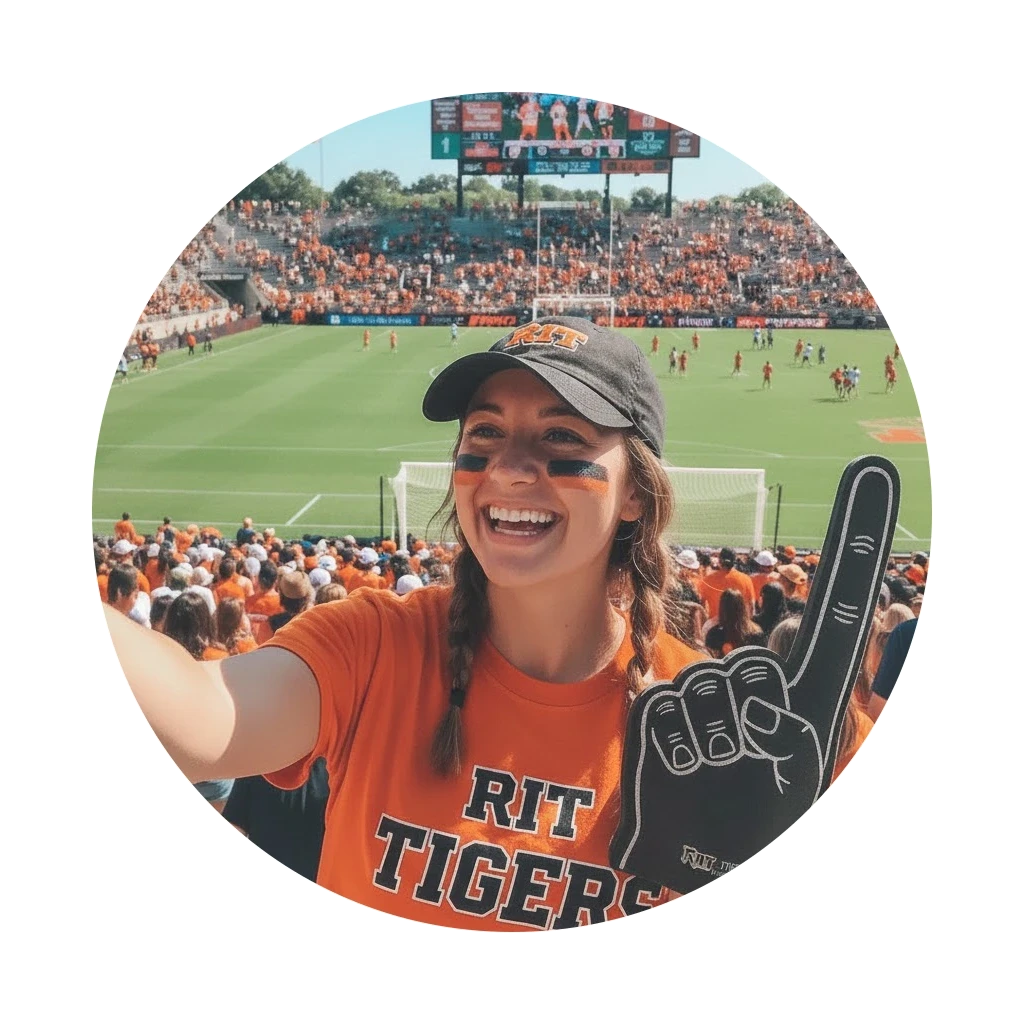
Sarah loves the atmosphere of live sports. She is the organizer of her friend group, often rallying everyone to go to the stadium on weekends. When she isn't at the game, she loves posting scores and team updates to her Instagram and Twitter to show support. She values speed and ease of use over deep statistical analysis.
Sarah loves the atmosphere of live sports. She is the organizer of her friend group, often rallying everyone to go to the stadium on weekends. When she isn't at the game, she loves posting scores and team updates to her Instagram and Twitter to show support. She values speed and ease of use over deep statistical analysis.
Sarah loves the atmosphere of live sports. She is the organizer of her friend group, often rallying everyone to go to the stadium on weekends. When she isn't at the game, she loves posting scores and team updates to her Instagram and Twitter to show support. She values speed and ease of use over deep statistical analysis.
Sarah loves the atmosphere of live sports. She is the organizer of her friend group, often rallying everyone to go to the stadium on weekends. When she isn't at the game, she loves posting scores and team updates to her Instagram and Twitter to show support. She values speed and ease of use over deep statistical analysis.
Goals
Goals
Goals
Goals
Quickly purchase tickets for her group without hassle.
Share the final score and team victory graphics to her social media.
Navigate the app quickly to find the schedule for the upcoming weekend.
Quickly purchase tickets for her group without hassle.
Share the final score and team victory graphics to her social media.
Navigate the app quickly to find the schedule for the upcoming weekend.
Pain Points
Pain Points
Pain Points
Pain Points
Ticketing Friction: She abandons purchases because the app redirects her to an external website that requires a separate login.
Confusing Navigation: She gets lost in the “Schedule” page trying to find games of a particular sport.
No Sharing: She has to screenshot the app to share a score, which looks unprofessional.
Ticketing Friction: She abandons purchases because the app redirects her to an external website that requires a separate login.
Confusing Navigation: She gets lost in the “Schedule” page trying to find games of a particular sport.
No Sharing: She has to screenshot the app to share a score, which looks unprofessional.
Translating these personas into action, we developed Journey Maps to trace their path through the current system.
Translating these personas into action, we developed Journey Maps to trace their path through the current system.
User Journey Mapping: Marcus Chen Tries to Stay Updated About a Match.
Awareness
Awareness
Decision
Decision
Monitoring
Monitoring
Watching Match
Watching Match
Goal
Goal
Know when the match is happening.
Know when the match is happening.
Goal
Goal
Follow fav team for updates.
Follow fav team for updates.
Goal
Goal
Get real-time updates
Get real-time updates
Goal
Goal
Access live action.
Access live action.
Action
Action
Opens app - Goes to Schedule tab.
Opens app - Goes to Schedule tab.
Action
Action
Marks team as “Favorite” expecting notifications
Marks team as “Favorite” expecting notifications
Action
Action
Checking app manually, no push alerts.
Checking app manually, no push alerts.
Action
Action
Watches through “Watch” tab
Watches through “Watch” tab
Emotion
Emotion
Curious 🤔
Curious 🤔
Emotion
Emotion
Confused 😕
Confused 😕
Emotion
Emotion
Anxious 😥
Anxious 😥
Emotion
Emotion
Annoyed 😑
Annoyed 😑
Breakdown
Breakdown
No quick search feature.
No quick search feature.
Breakdown
Breakdown
Favoriting doesn’t trigger notifications.
Favoriting doesn’t trigger notifications.
Breakdown
Breakdown
No personalized notifications
No personalized notifications
Breakdown
Breakdown
Watch tab feels disorganized.
Watch tab feels disorganized.
User Journey Mapping: Sarah Jenkins Buys Tickets for an RIT Match.
Awareness
Awareness
Locate Tickets
Locate Tickets
Ticket Purchase
Ticket Purchase
Pre-Event Planning
Pre-Event Planning
Goal
Goal
Decides to attend a game.
Decides to attend a game.
Goal
Goal
Buy ticket for selected match
Buy ticket for selected match
Goal
Goal
Complete purchase
Complete purchase
Goal
Goal
Organize plan with friends
Organize plan with friends
Action
Action
Goes to Schedule
Goes to Schedule
Action
Action
Looks for ticket icon
Looks for ticket icon
Action
Action
Clicks “Buy Tickets”
Clicks “Buy Tickets”
Action
Action
Shares game link manually to friends
Shares game link manually to friends
Emotion
Emotion
Excited 🤩
Excited 🤩
Emotion
Emotion
Frustrated 😣
Frustrated 😣
Emotion
Emotion
Overwhelmed😫
Overwhelmed😫
Emotion
Emotion
Annoyed 😑
Annoyed 😑
Breakdown
Breakdown
Hard to locate a sports match (No filters)
Hard to locate a sports match (No filters)
Breakdown
Breakdown
Ticket option buried
(No clear CTA)
Ticket option buried
(No clear CTA)
Breakdown
Breakdown
Redirected to external site.
Redirected to external site.
Breakdown
Breakdown
No in-app group planning
No in-app group planning
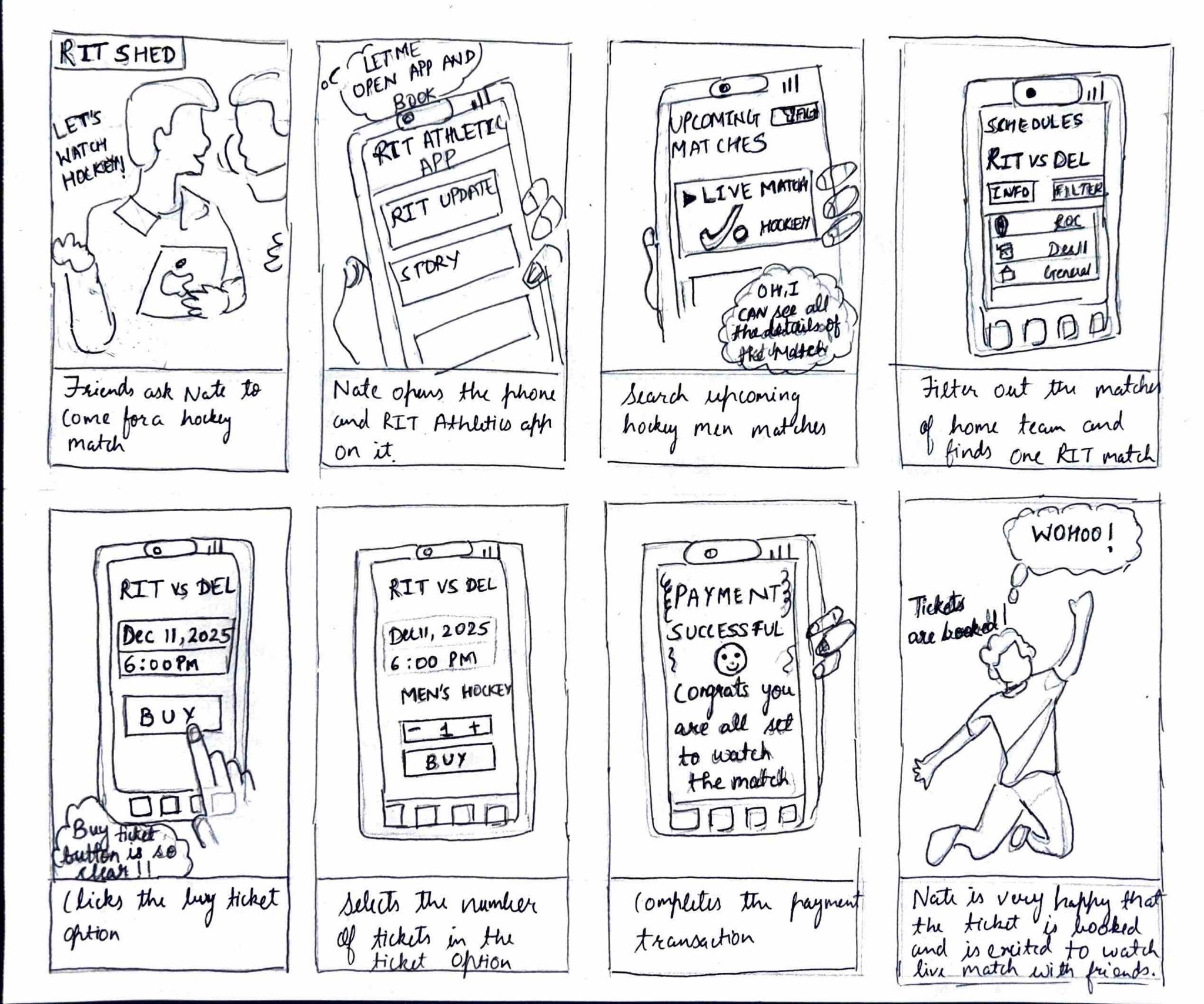
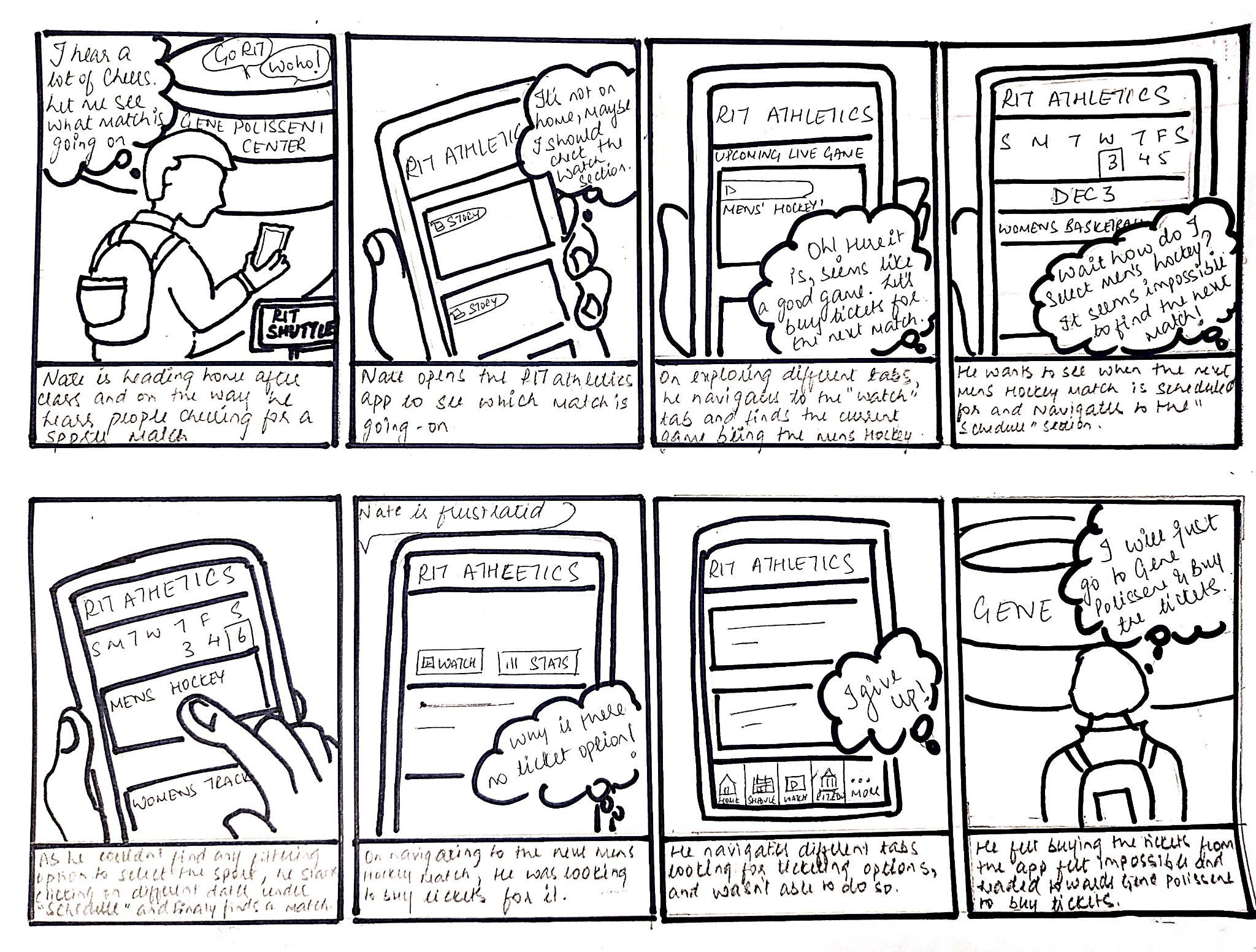
Taking the critical moments identified in the journey, we developed Storyboards to illustrate the new, frictionless path.
Problem Storyboard
Solution Storyboard